Stop Using Excel: Why Manual Timecards are Costing Freelancers Thousands
Stop losing money to broken Excel formulas. Learn why manual timesheet templates are risky for freelancers and how to generate professional PDF timecards.
Look, I get it. You just landed a decent contract, and the first thing you do is fire up Google and search for an "excel timesheet template." It feels like the professional thing to do. You download some random .xlsx file with enough hidden macros to make a IT guy sweat, plug in your hours, and hope for the best. But here is the thing: Excel is where money goes to die in the freelance world. It’s not that Excel is bad—it’s just that it’s incredibly easy to break, and usually, you won't even notice until your client starts questioning why your invoice looks like a math puzzle.
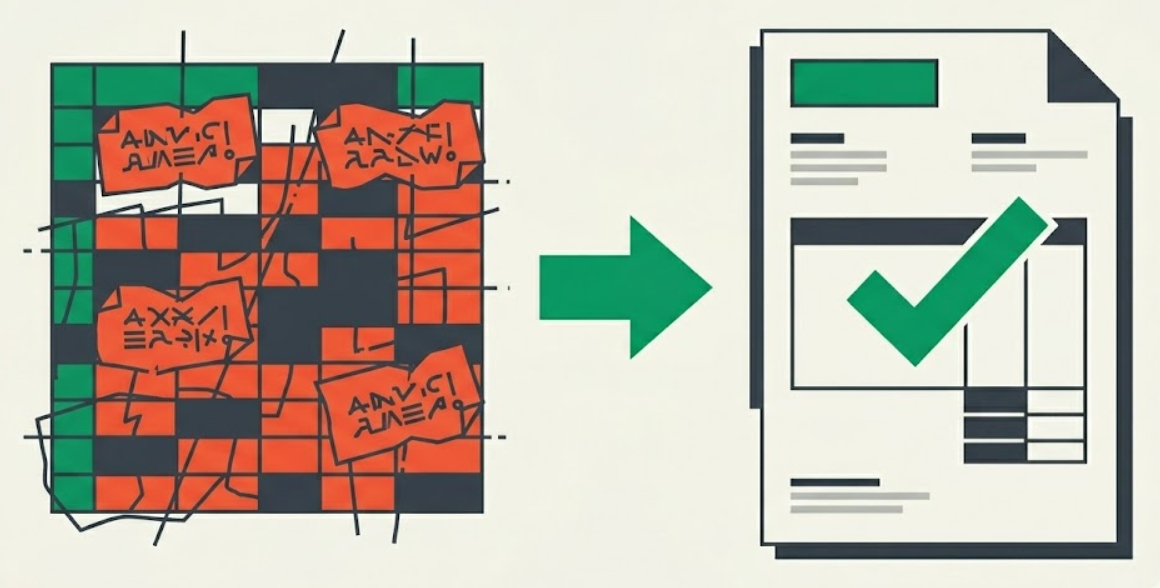
The One-Character Typo That Costs $500
I’ve seen it happen dozens of times. You’re tired, it’s 11 PM on a Friday, and you’re trying to sum up your week's billable hours. You accidentally click on a cell, hit the spacebar, or delete a single dollar sign in a formula. Suddenly, that "freelance billable hours calculator" you spent two hours building is telling the client you worked 4.5 hours instead of 45. Or worse, it’s rounding your overtime down because of some weird formatting rule you didn't even know existed.
Clients hate messy Excel sheets. They look amateur, they're hard to read on mobile, and they invite "adjustments." When you send an editable spreadsheet, you’re basically saying, "Here’s my math, feel free to find a reason to pay me less." It doesn't scream 'expert.' It screams 'I’m winging it.'
The "Uneditable" Advantage
If you want to get paid on time and without the back-and-forth, you need to send a document that looks final. That’s why we built our free billable hours calculator. You punch in your time—standard, overtime, whatever—and it does the math properly every single time. No broken formulas, no accidental deletions.
The real kicker? The "Download as PDF" button. Instead of sending a fragile Excel file, you get a beautiful, clean, uneditable PDF. It includes your totals, your breakdown, and a clear signature line. It looks like it came from a high-end payroll department, not some guy's messy desktop. When a client sees a professional PDF, they don't look for errors; they look for the "Pay Now" button.
Stop Being Your Own Accountant
You’re a developer, a designer, a writer, or a contractor. You aren't getting paid to debug spreadsheets. Every minute you spend fixing a broken template is a minute you aren't billing. Honestly, save the Excel sheets for your tax guy and use a tool that was actually designed for people who work for a living. Your bank account will thank you.
Common Questions About Freelance Timekeeping
Is a PDF better than Excel for invoicing?
Absolutely. A PDF is a universal, "read-only" format. It ensures the client sees exactly what you see and prevents accidental changes to your totals. It also looks much more professional and is easier to archive for tax purposes.
How do I handle overtime as a freelancer?
If your contract allows it, usually anything over 40 hours a week is billed at 1.5x. Trying to track this manually in Excel often leads to rounding errors. Using a dedicated calculator ensures your overtime multipliers are applied correctly to the precise minute.
Can I just use a free timesheet template?
You can, but you get what you pay for. Free templates are often outdated or don't account for local labor laws or complex rounding rules. A dedicated web tool is usually more accurate because the logic is maintained on the backend, not in a fragile user-controlled cell.